CompoundFX Features
CompoundFX is a compound interest calculator for iPhone that projects how an investment grows, solves for what it takes to reach a goal, and compares one strategy with another. The full calculator is free; Pro adds Goal Mode, unlimited saved scenarios, scenario comparison, and PDF reports.
Free to download. Optional one-time Pro upgrade. No subscription.
Compound Interest Projections
FreeCompoundFX projects how an investment grows from a starting principal, a regular deposit, a rate of return, and a time frame, using the full calculation engine at no cost.
Use it to: check whether your current monthly deposit keeps a retirement plan on track, then change the deposit or the rate and watch the projection update.
What you can set
- Custom contribution schedules. Contribute daily, weekly, semimonthly, monthly, or annually.
- Custom compounding intervals. Compound anywhere from daily to annually, including semimonthly.
- Deposit timing. Make deposits at the start or the end of each period.
- Flexible duration. Enter your time horizon in years, months, weeks, or days.
- Sub-year precision. Precise results for short-horizon plans of less than a year.
Goal Mode
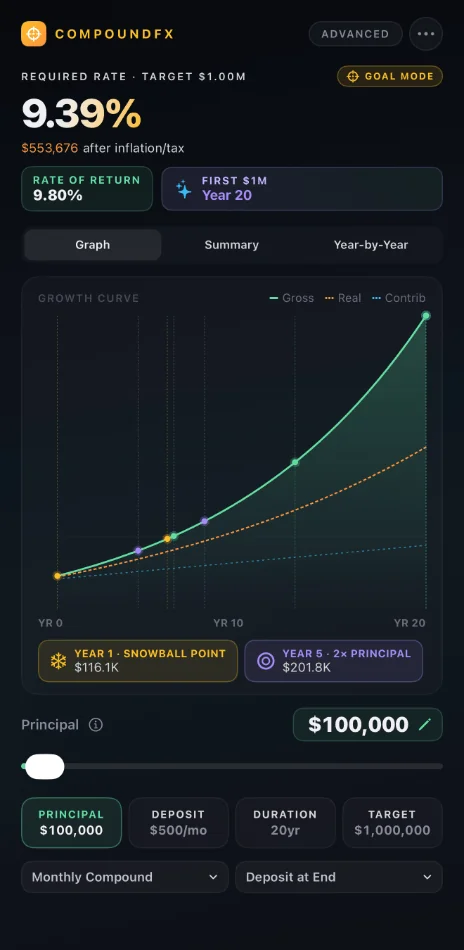
ProGoal Mode starts from the balance you want to reach and solves for the rate of return, time horizon, starting principal, or monthly contribution you need to get there.
Use it to: turn "I want $1,000,000 by retirement" into a specific monthly deposit, or find out what return your current savings would need to earn.
Scenario Comparison
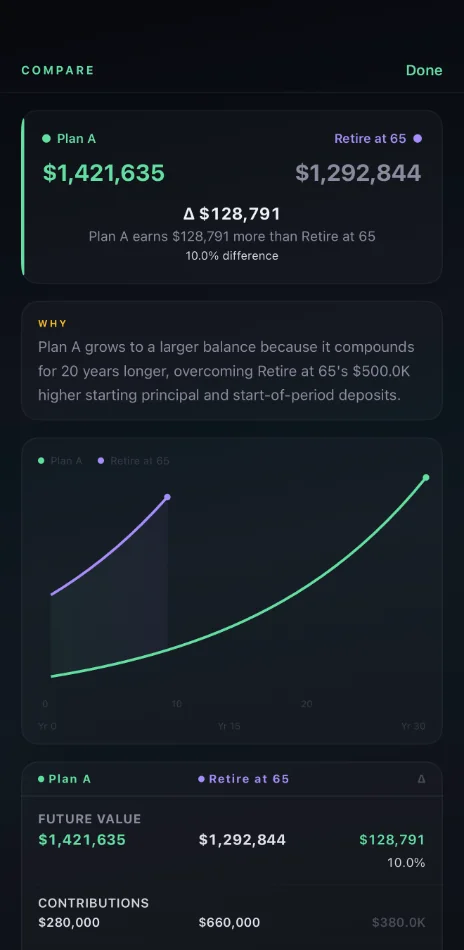
ProScenario comparison puts two saved plans side by side and highlights the variables that differ between them, the total dollar impact of those differences, and when one strategy pulls ahead of the other.
Use it to: weigh an aggressive early-retirement plan against a traditional retirement plan before you commit to either one.
Inflation Adjustments
FreeCompoundFX adjusts a projection for inflation, so you see what a future balance is worth in today's purchasing power rather than only its face value.
Use it to: set a retirement target in today's dollars, knowing a balance decades from now buys less than the same number does today.
For a quick single-number check in your browser, the free inflation calculator converts a future amount to today's dollars.
Tax and Expense Modeling
FreeCompoundFX models taxes and fund expense ratios, so a projection reflects the growth you keep after taxes and fees instead of the gross return alone.
Choose Annual or Deferred tax treatment to match how your account is taxed, and enter your fund's expense ratio to see what fees cost over the life of the plan.
Use it to: see how much a higher-fee fund costs you over several decades compared with a low-cost one.
Saved Scenarios
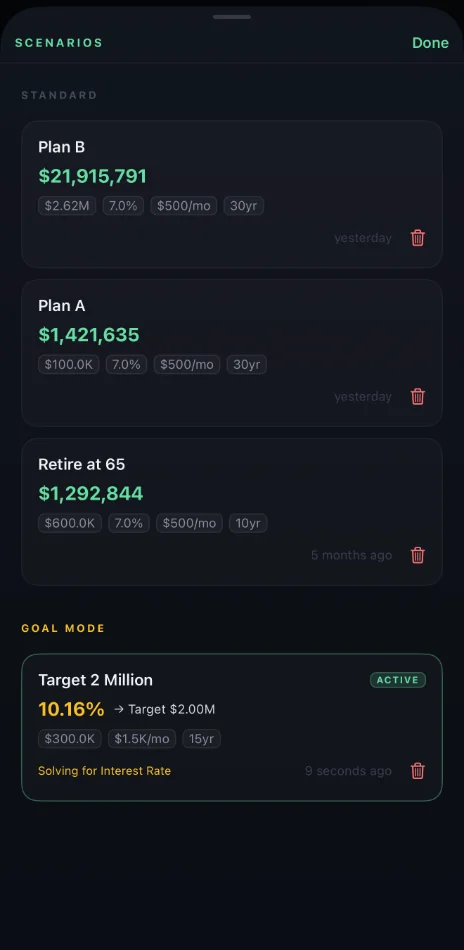
ProWith Pro, CompoundFX saves as many scenarios as you like, so you can come back to any plan anytime or compare it with another.
Use it to: keep a retirement plan, an early-retirement plan, and a Goal Mode target in one place and revisit them as your situation changes.
Growth Charts and Milestones
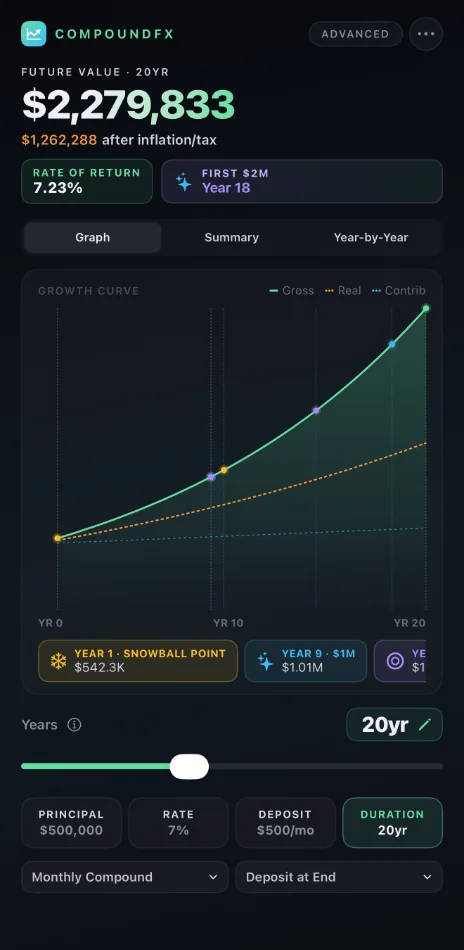
FreeThe growth chart redraws in real time as you change any input and marks the points where your balance reaches $100K, $250K, and $1M.
Use it to: see the year your plan first reaches $1M, and how much sooner it gets there if you raise your deposit.
Year-by-year breakdown
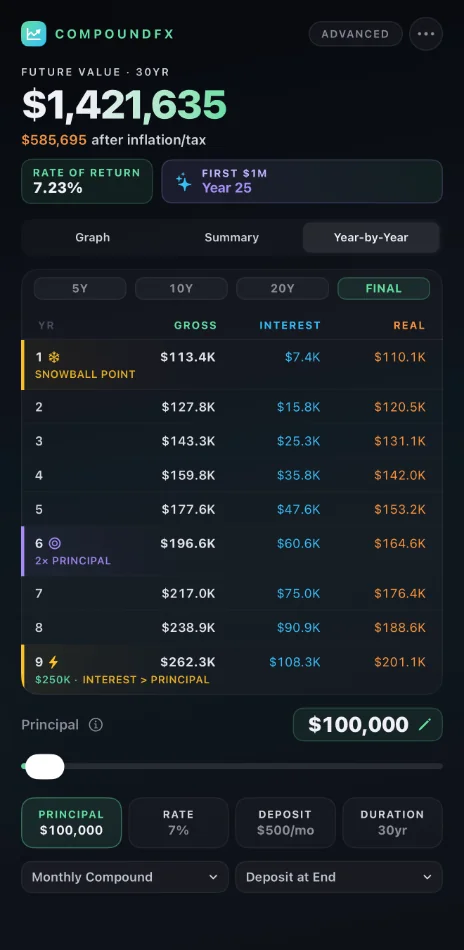
The year-by-year breakdown lists every year of the plan, so you can see how much you contributed and how much your money earned in each one.
PDF Export
ProPro exports a projection as a two-page PDF report with an executive summary, the growth chart, and a milestone breakdown.
Use it to: bring a printed copy of your plan to a conversation with your partner or a financial professional.
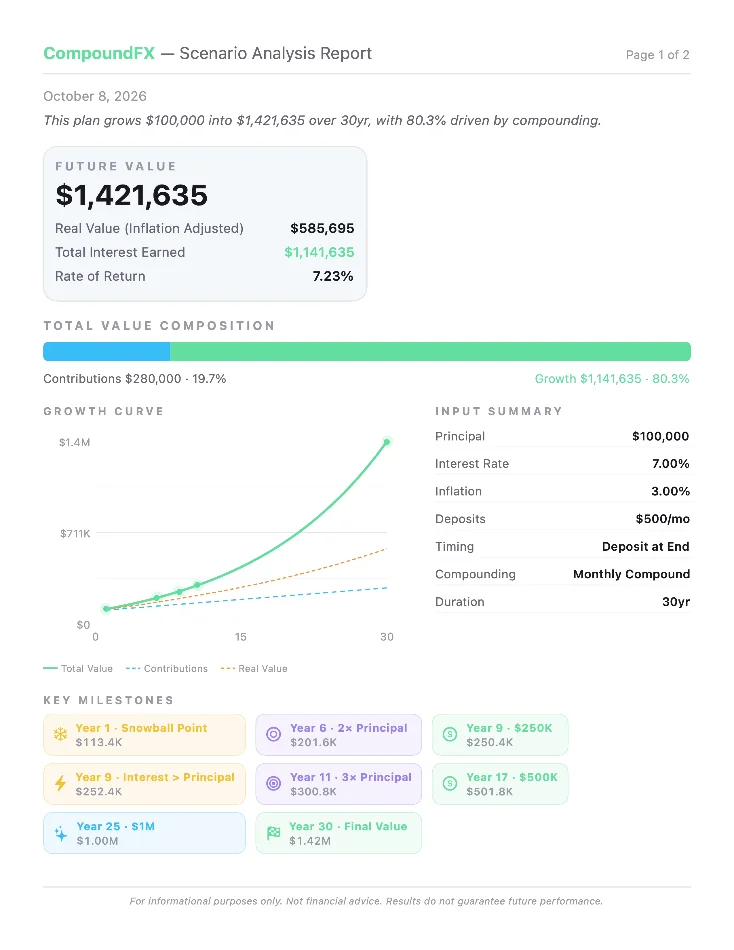
Image Sharing
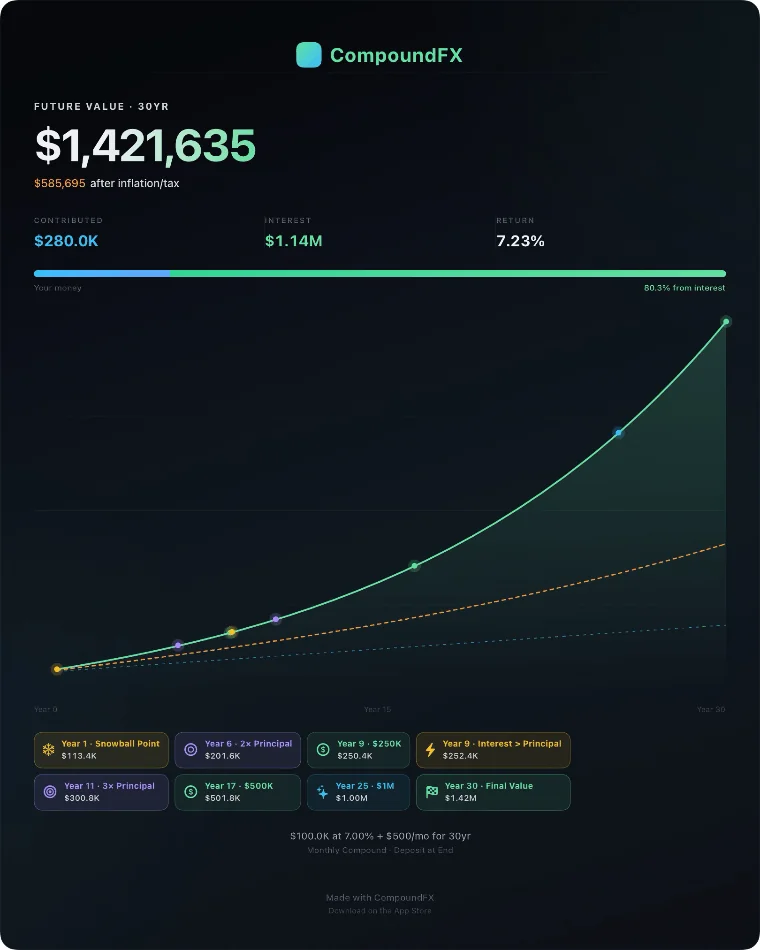
FreeCompoundFX shares any projection as a branded image you can send by text or post to social media.
Use it to: show a friend or family member what starting to save now could grow to.
Offline Operation and Privacy
FreeNo accounts, no analytics, no data collection. Everything runs locally on your device.
CompoundFX works fully offline and includes no third-party SDKs, in the free download and in Pro alike.
Use it to: model plans with your real balances and goals without sharing them with anyone, even with no connection.
Get CompoundFX on the App Store
iPhone app, iOS 17 or later. Free to download. Optional one-time Pro upgrade. No subscription.